

Sometimes, Security for Bitbucket will find vulnerabilities which are false positives, credentials which have already been revoked, etc. If this happens, you can review the finding. This marks the finding, as well as any other findings which exactly match it, as reviewed in the current and future scans. This feature is available from the Branch Scan Report.
In any dashboard, Reviewed findings are not counted towards the total vulnerability count when determining whether a repository is secure.
Marking findings as reviewed only applies to committed content. When introducing a new false positive, it is preferable to allowlist each false positive with an inline pragma in the commit which introduces it.
Reviewing a finding from the Scan Report
Open the finding that you want to review, and click on the Mark reviewed button to open the confirmation window:
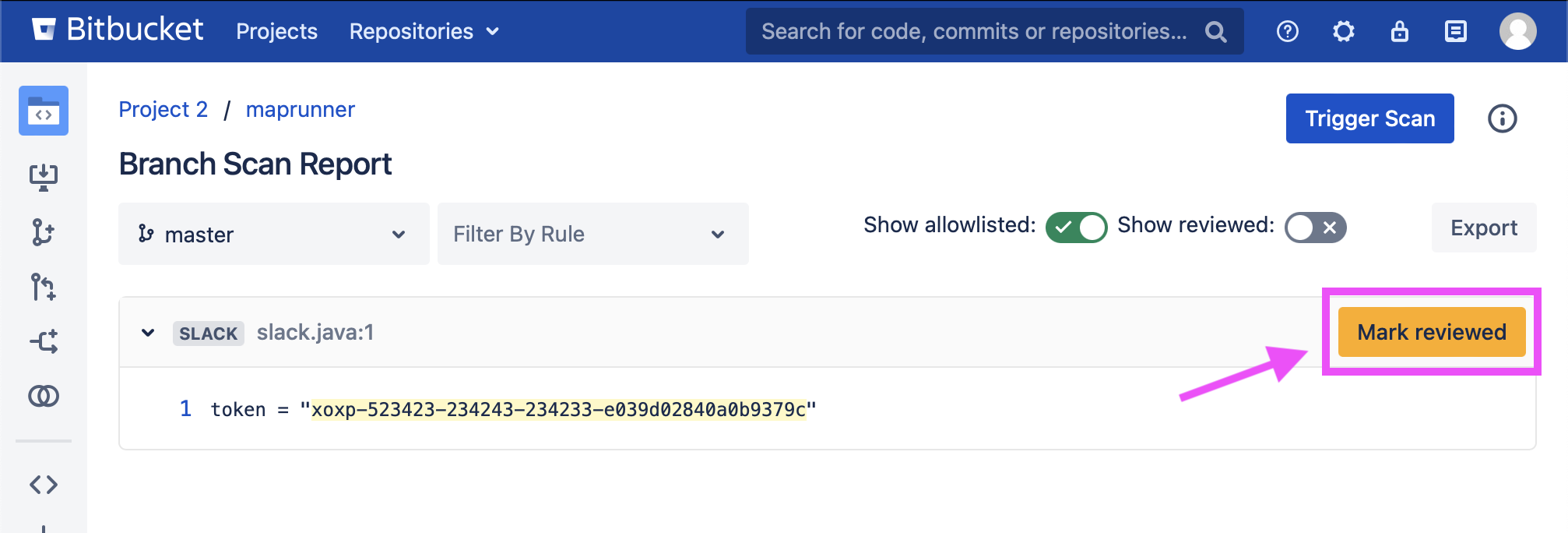
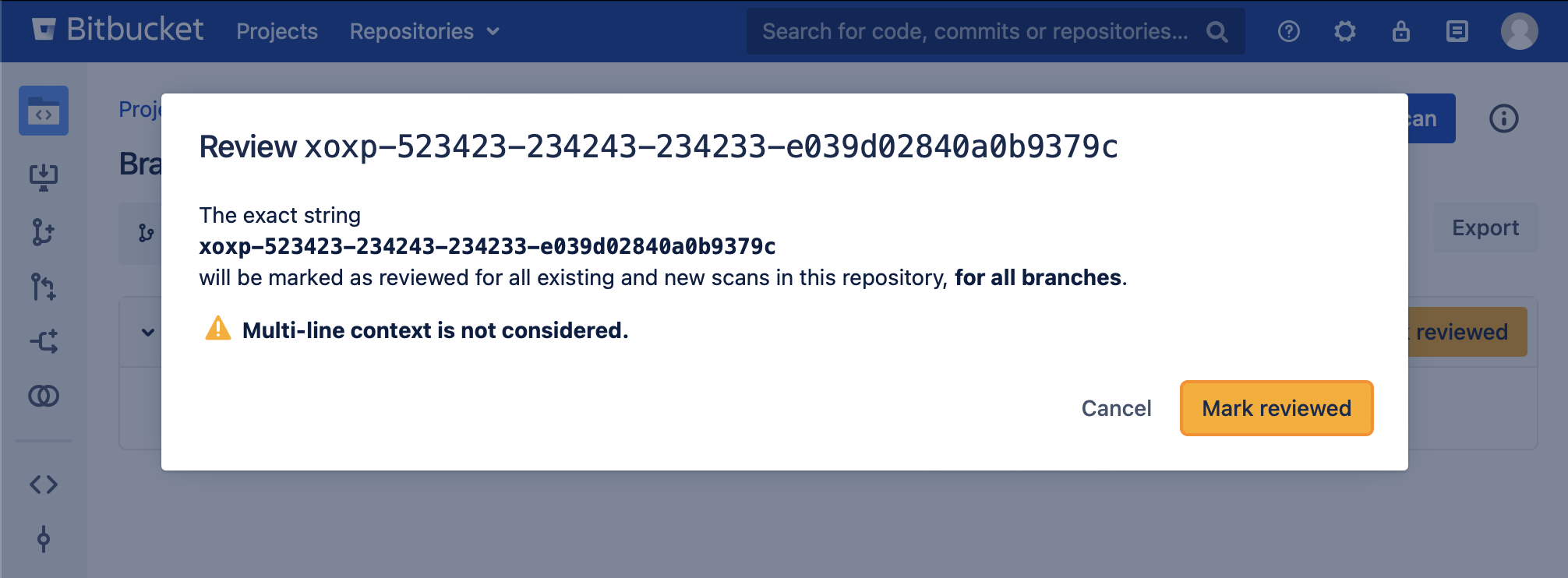
Marking a finding as reviewed saves the exact string captured by the rule (in this case, xoxo-523423-234243-234233-e039d02840a0b9379c). That exact string will be marked as reviewed for all existing and future scans.
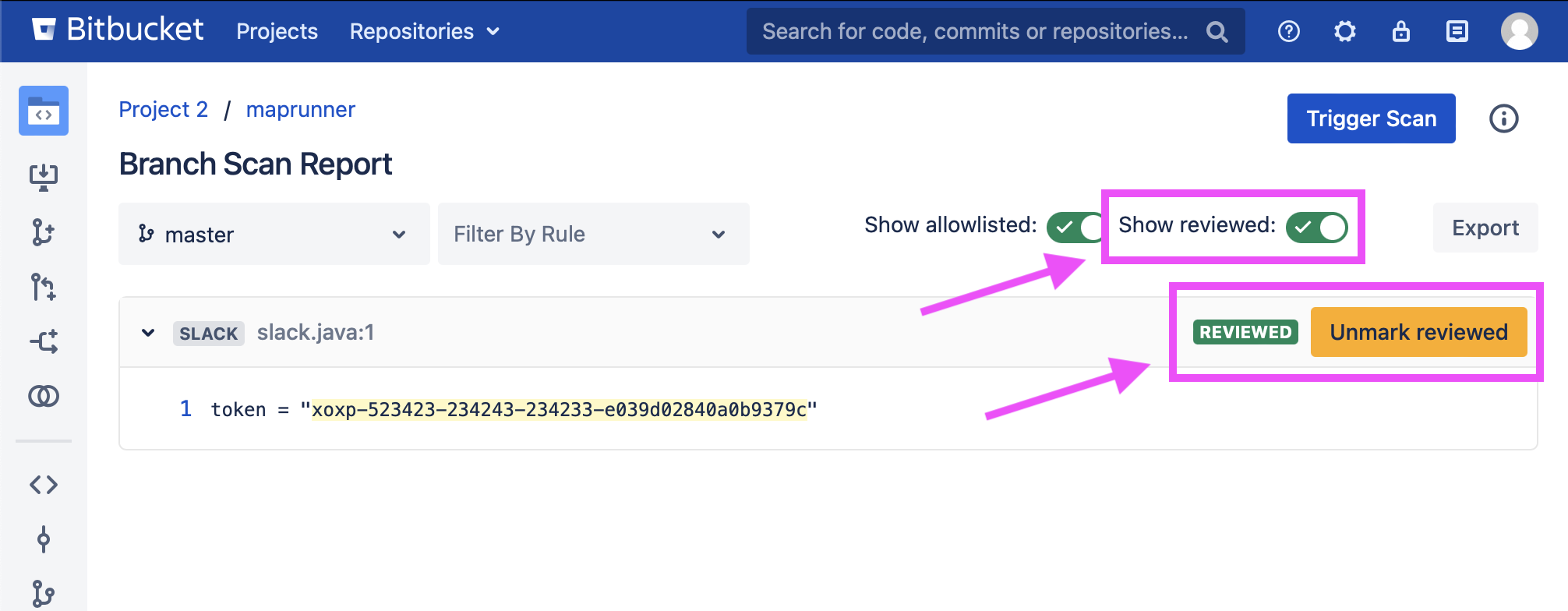
Once reviewed, the finding can be shown again with the “Show reviewed” toggle, where it can be unmarked.
Note that reviewed findings are scoped to a repository – identical findings across multiple repositories must be reviewed separately.
Exporting Reviewed Findings
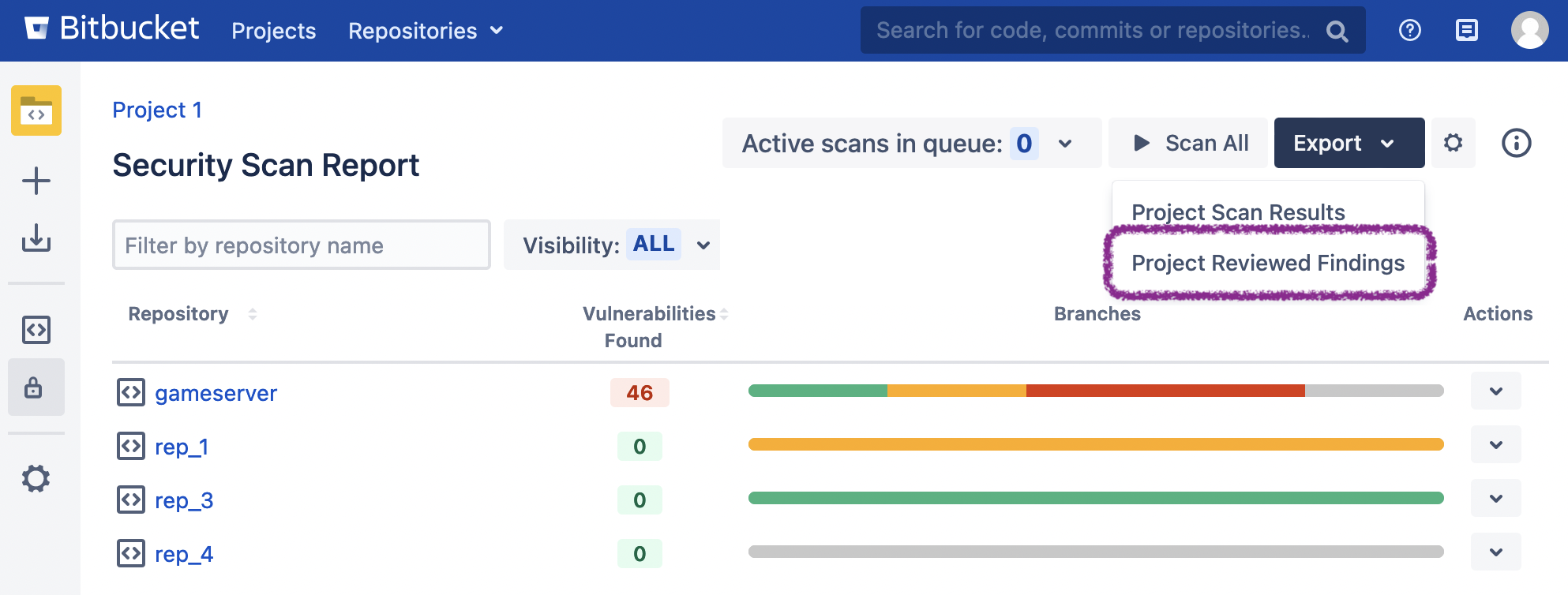
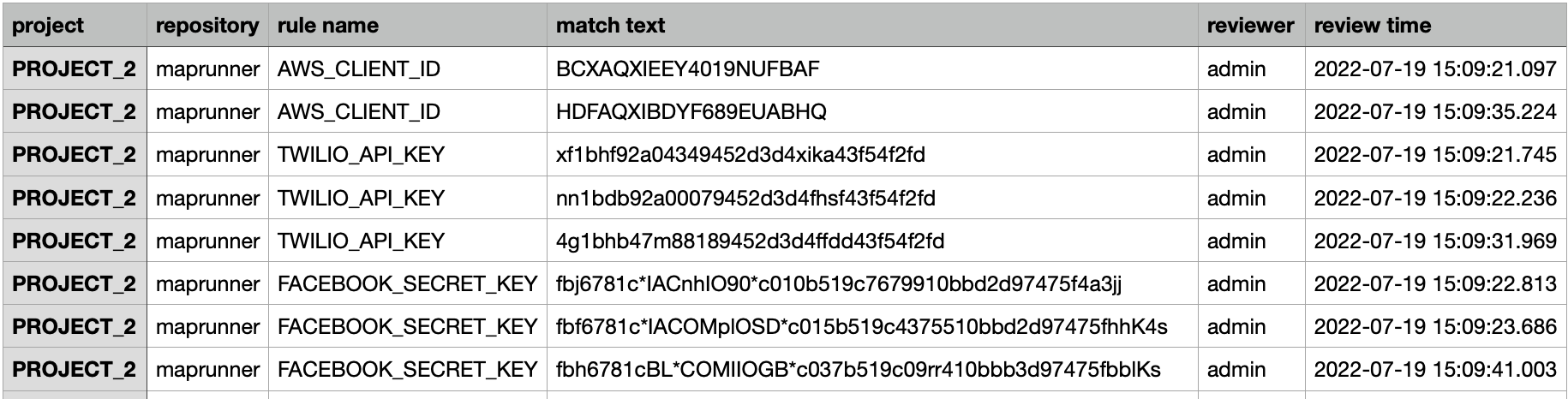
Reviewed findings can be exported to a csv file by selecting the appropriate option in the Export dropdown in the upper-right of the Global, Project-level, and Repository-level dashboards.
Here is an example at the Project level:
Reviewed findings are exported in the following format:
You may also export reviewed findings via a call to the REST API.