

Security for Confluence allows users to export CSV files containing findings in the spaces for which they have administration privileges. This can be done when viewing a space’s Security Analysis by clicking the Export Space dropdown at the top:
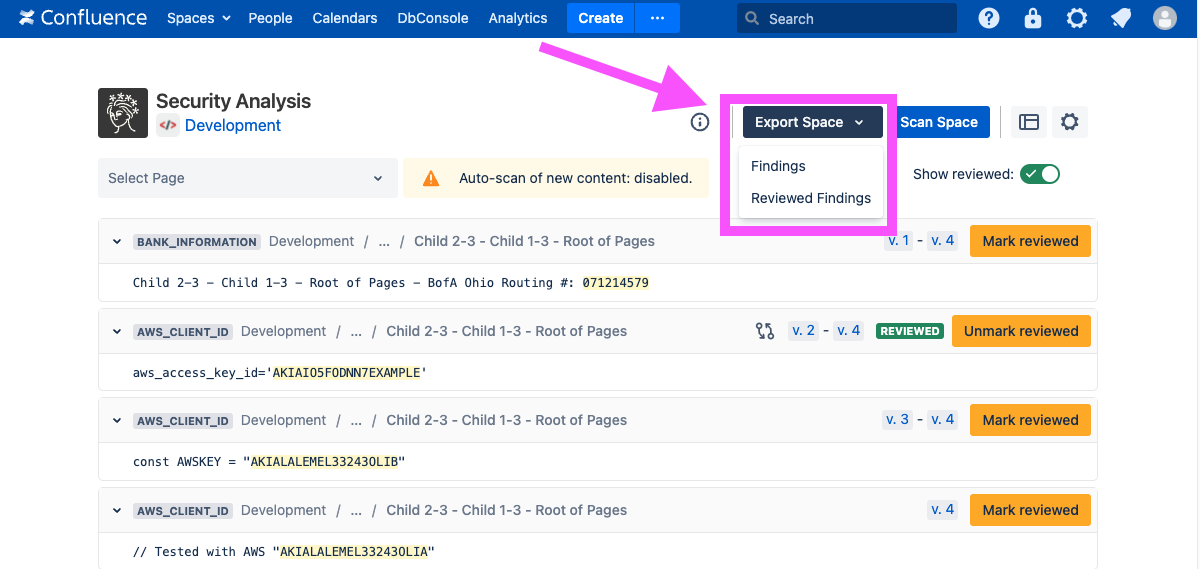
There are two options, both of which are in CSV format:
-
A Findings export contains information about all findings, including both reviewed and un-reviewed findings
-
A Reviewed Findings export contains reviewed findings, including who reviewed them and when they were reviewed
You can also export findings for a particular space or for all spaces for which you have administration privileges, using the REST API.