

Sometimes, Security for Confluence will find false positives, credentials which have already been revoked, etc. If this happens, you can review the finding. This marks the finding, as well as any other findings which exactly match it, as reviewed in the current and future scans.
Reviewing a finding from the Security Analysis
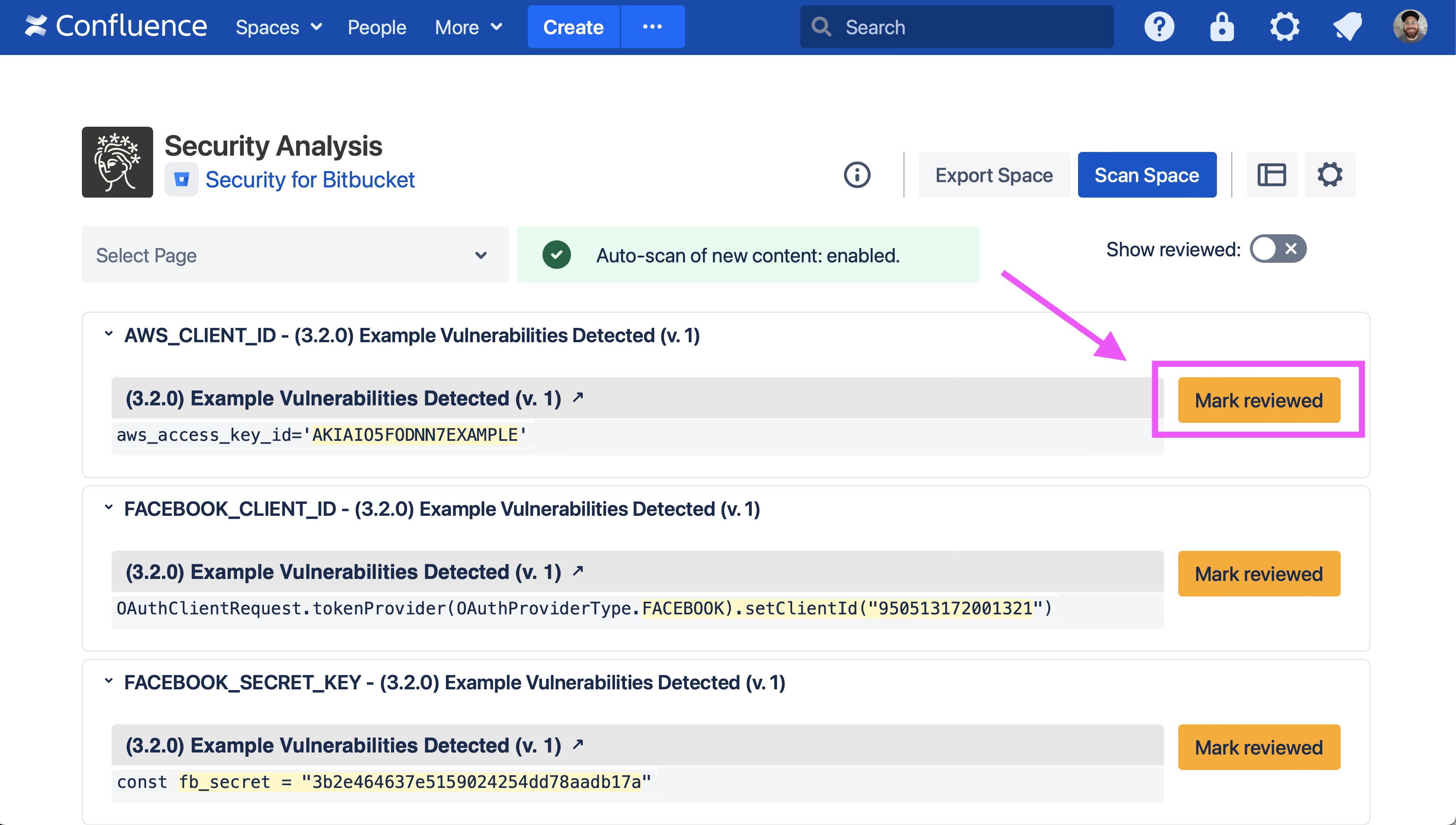
Click the Mark reviewed button on the finding you want to review. This opens a confirmation window.
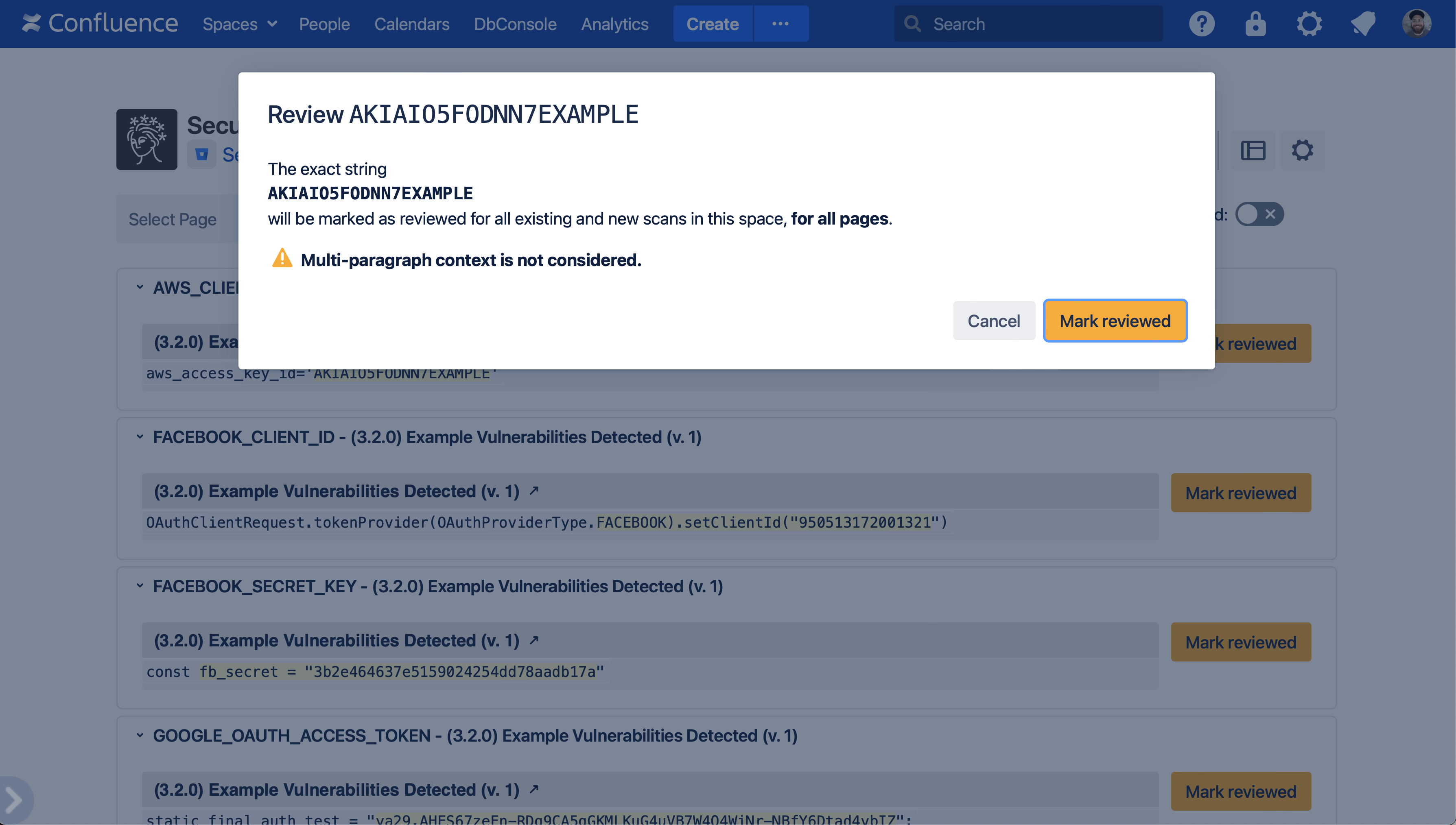
Marking a finding as reviewed saves the exact string captured by the rule (in this case,
AKIAIO5FODNN7EXAMPLE). That exact string will be marked as reviewed for all existing and future scans.
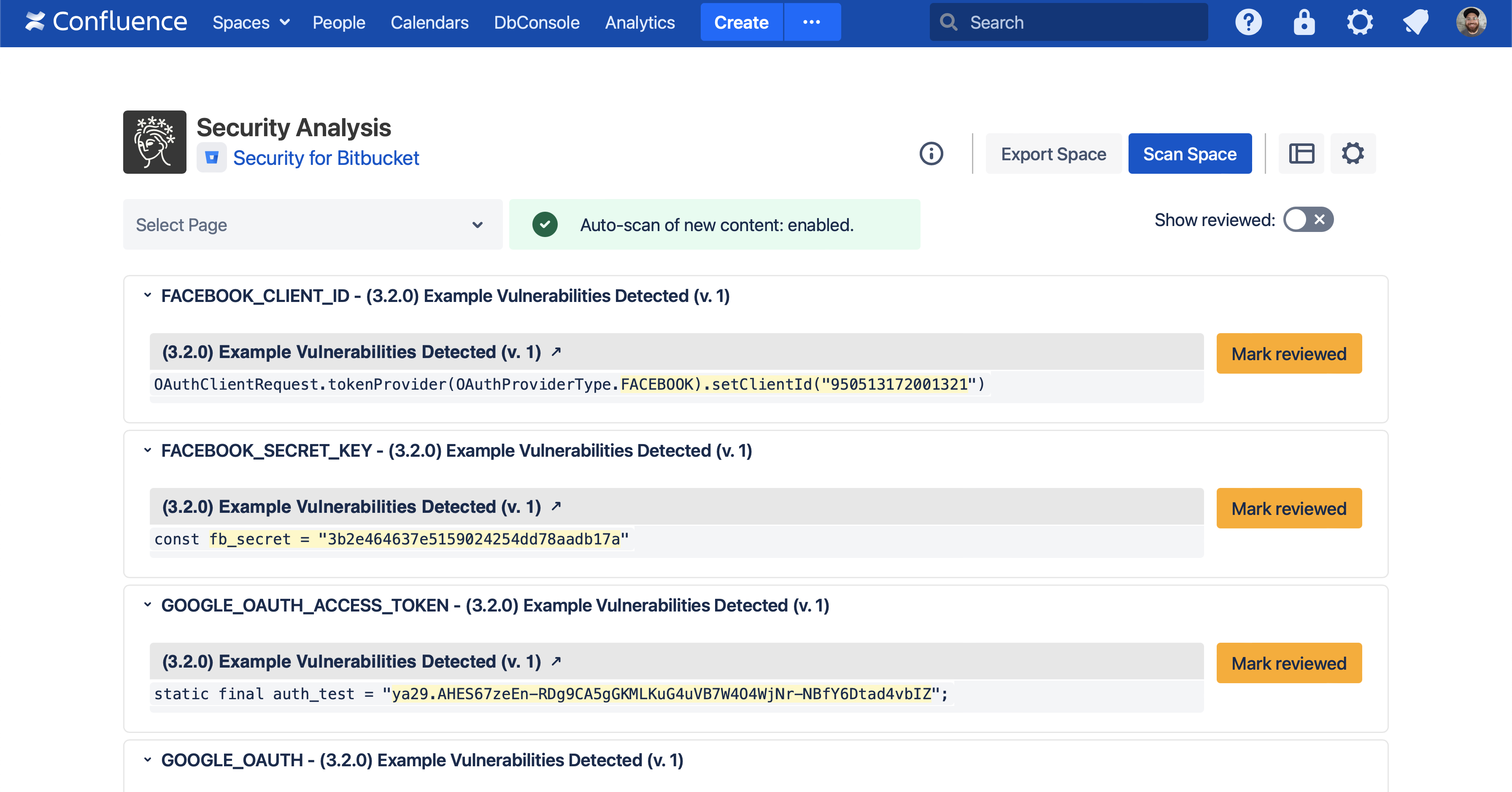
After the finding is marked as reviewed, all other findings of that exact string will disappear from the Security Analysis. In this example, since there were two findings matching the reviewed text, both of them have disappeared.
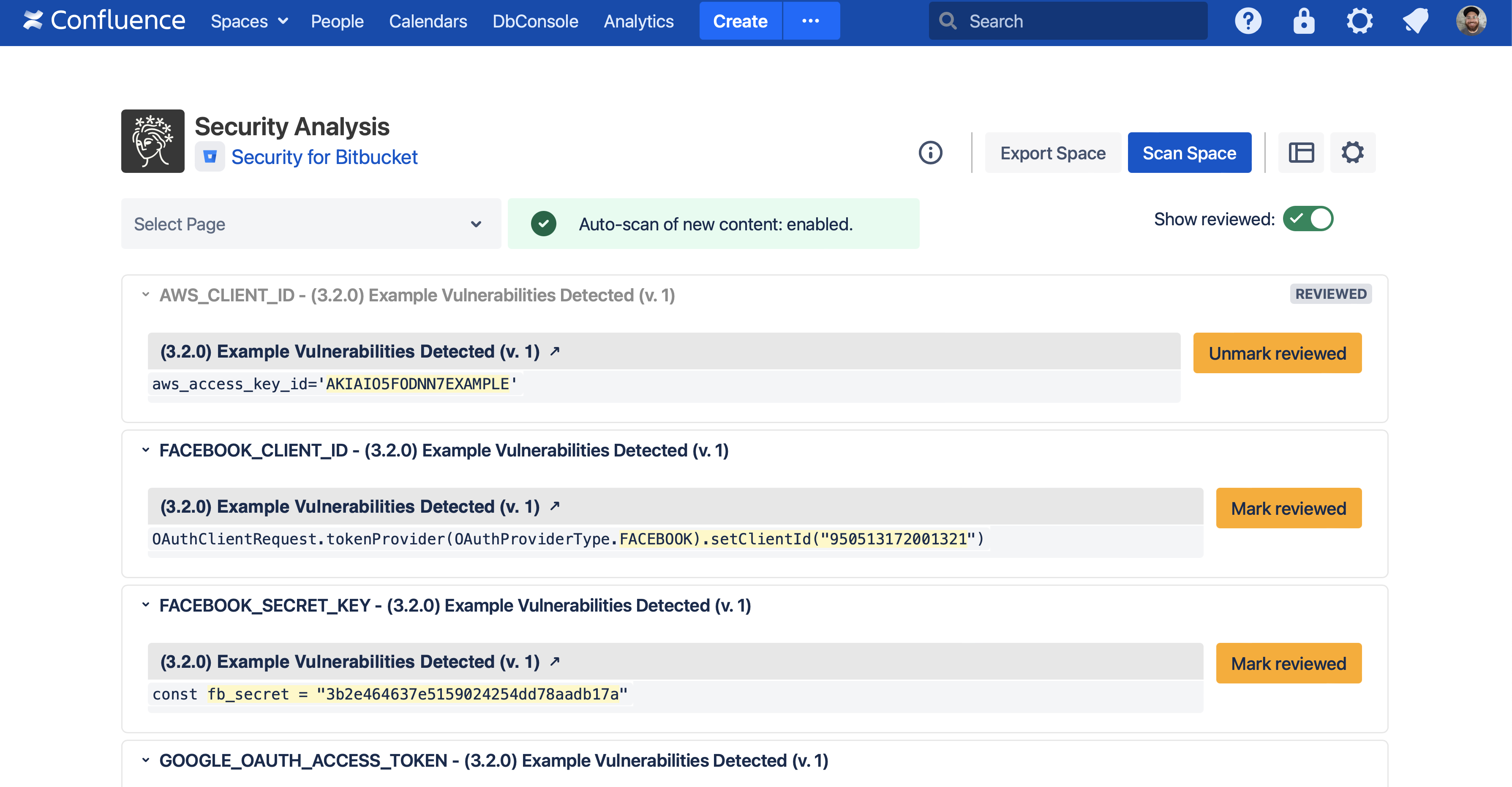
Reviewed findings can be shown again with the Show reviewed toggle, where they can be unmarked.
Note that reviewed findings are scoped to a space; that is, identical findings across multiple spaces must be reviewed separately.
Auditing who reviewed findings
When a finding is reviewed or unreviewed, an audit log event is generated. This audit event includes who made the change, what rule generated the finding, and a link to the Security Analysis for viewing what exactly was reviewed. For more information, see Viewing Audited Events.