

latest 5.0.x 4.1.x 4.0.x 3.3.x 3.2.x 3.1.x 3.0.x 2.14.x 2.13.x 2.12.x 2.11.x 2.10.x 2.9.x 2.8.x 2.7.0 2.6.0 2.5.0 2.4.0 2.3.x 2.2.x 2.1.x 2.0.x 1.12.x 1.11.x 1.10.x 1.9.x 1.8.x 1.6.x 1.5.x 1.4.x 1.3.x 1.2.x 1.1.x 1.0.x
Auto Light Dark
Auto Light Dark
latest 5.0.x 4.1.x 4.0.x 3.3.x 3.2.x 3.1.x 3.0.x 2.14.x 2.13.x 2.12.x 2.11.x 2.10.x 2.9.x 2.8.x 2.7.0 2.6.0 2.5.0 2.4.0 2.3.x 2.2.x 2.1.x 2.0.x 1.12.x 1.11.x 1.10.x 1.9.x 1.8.x 1.6.x 1.5.x 1.4.x 1.3.x 1.2.x 1.1.x 1.0.x

Enabling debug logging

Should you have issues with the plugin, turning on debug logging can help to troubleshoot and diagnose them.

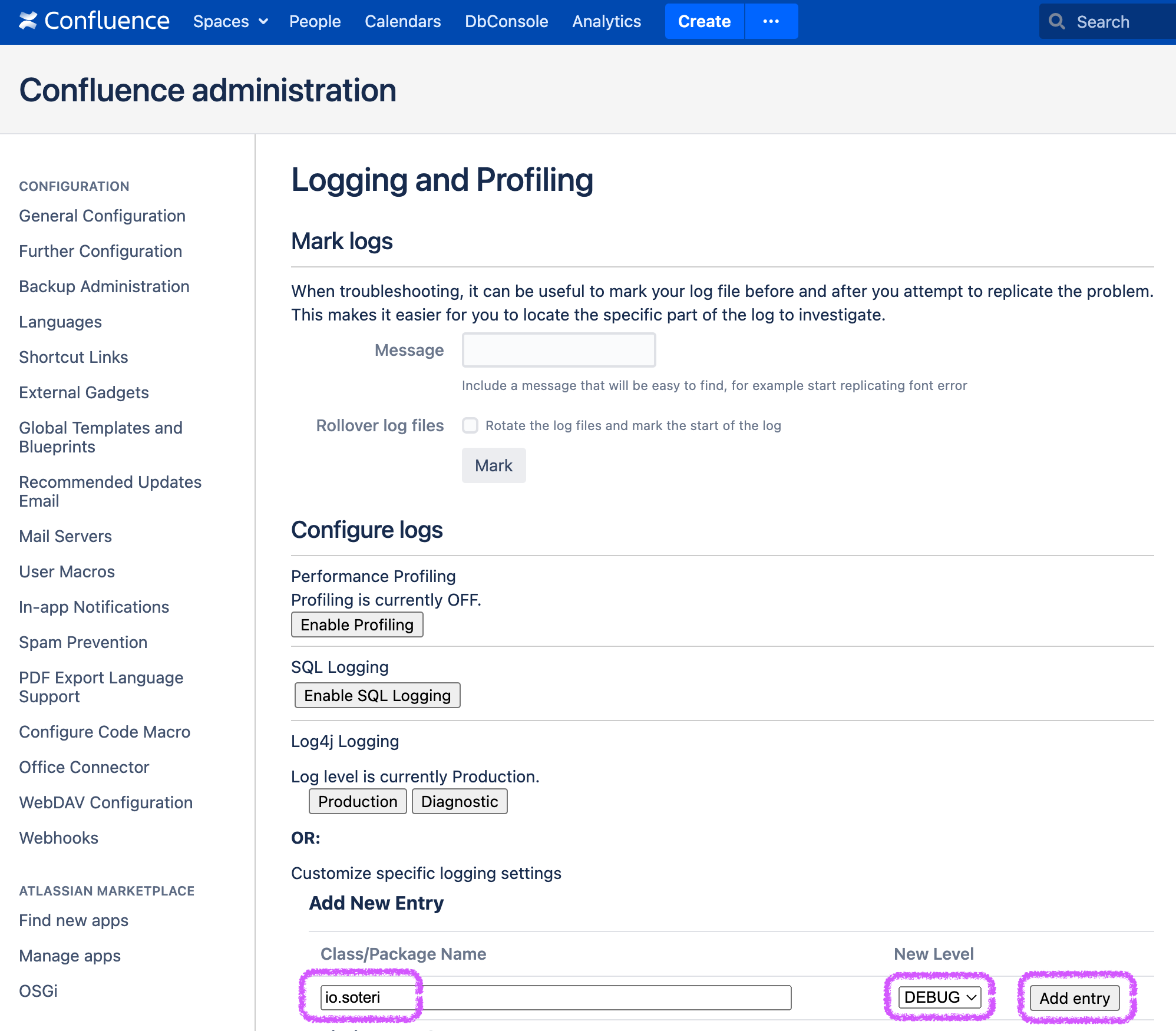
Navigate to Confluence Settings → Logging and Profiling. Under “Add New Entry”, type io.soteri, set the level to DEBUG, and click Add entry.
Screen Shot 2022-08-11 at 2.19.15 PM-20220811-192017.png
Adding a logging level entry for “io.soteri”

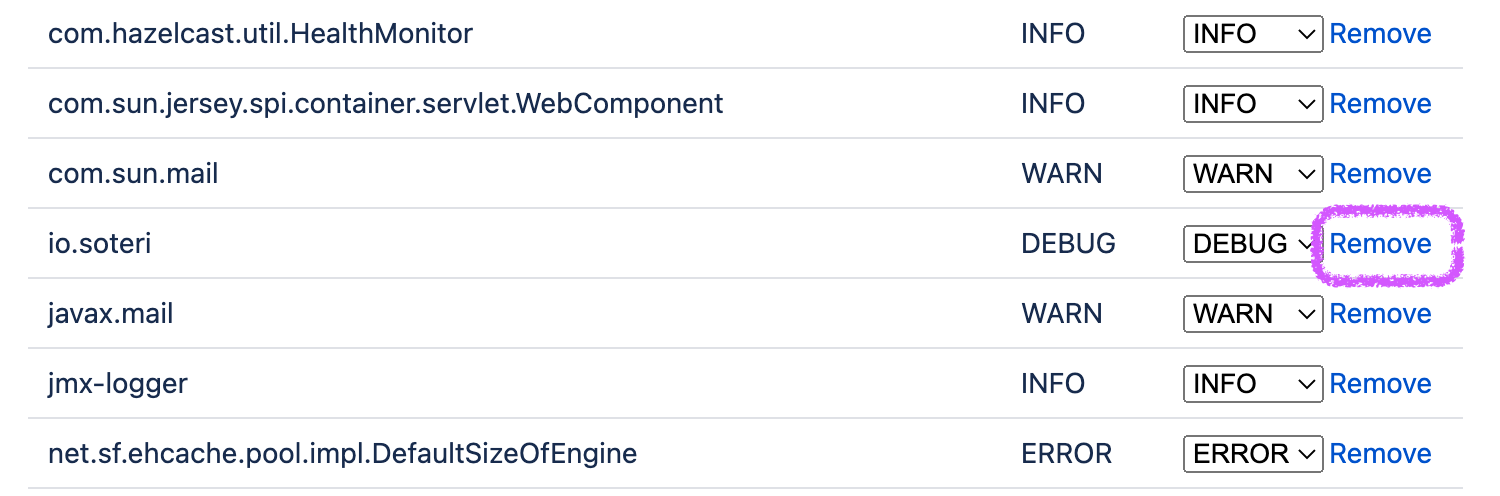
To turn off debug logging, simply remove it from the list of packages on the Logging and Profiling page.
Screen Shot 2022-08-11 at 2.22.38 PM-20220811-192252.png

Any changes you make are not persisted and will be lost when you restart Confluence.